The short answer
A bot click looks like a visit and costs like a visit, but nothing happens after it. You find them by looking at four things together: where the click came from, what the browser claimed to be, how it behaved on arrival, and whether anything followed it. One of those on its own is a guess; all four together is an answer.
What a bot click actually looks like
Bots are not subtle when you have the raw log in front of you. The patterns repeat:
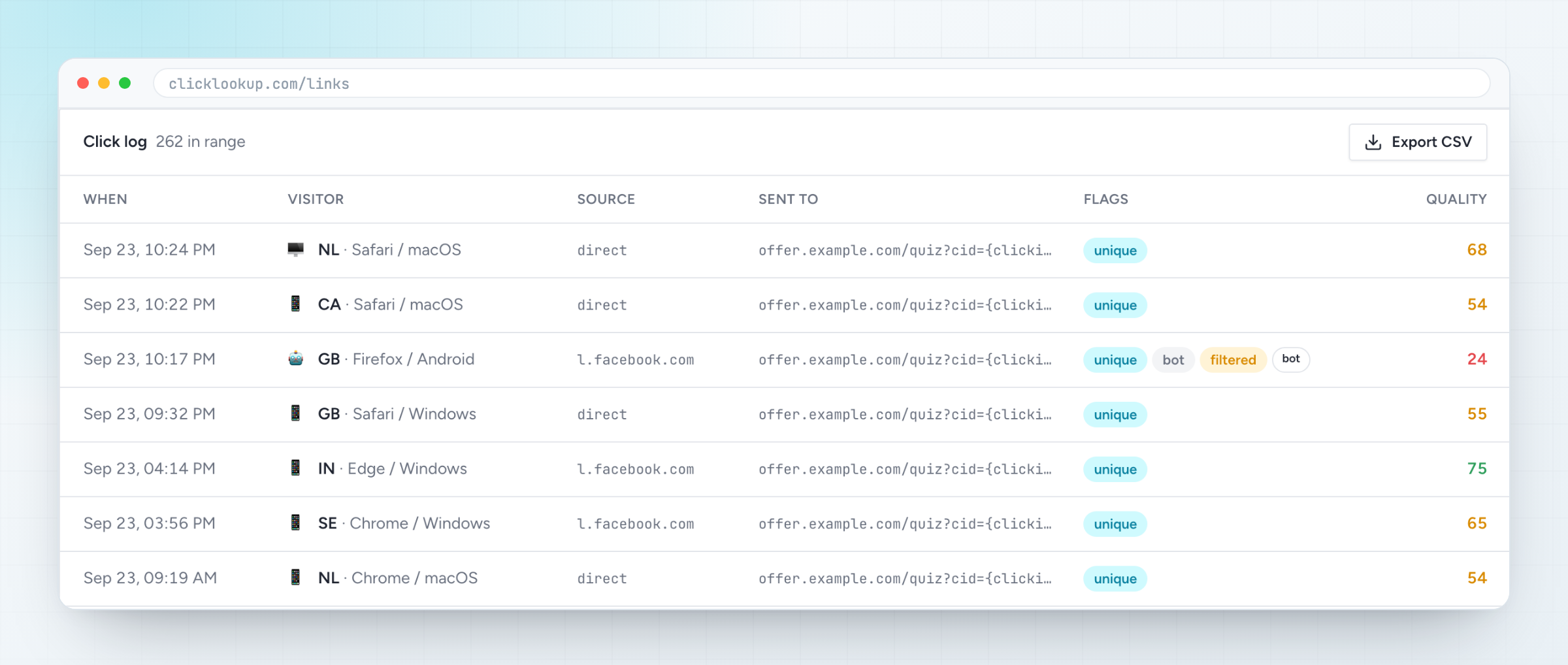
- Datacentre addresses. Real customers browse from phone networks and home broadband. A visit from an address that belongs to a hosting company is a machine, or somebody hiding.
- A user agent nobody uses. Headless browsers, old versions nobody still runs, and strings with a library name in them.
- Impossible timing. Forty clicks from one network inside a minute, or clicks spread at exactly even intervals all night.
- No second action. No scroll, no second page, no conversion, ever — across thousands of visits.
- Geography that does not match the campaign. Traffic bought for one country arriving from three others.
How to check your own traffic
You do not need a data team to do this. In order of effort:
- 1Look at the click log, not the rollup. A dashboard that shows daily totals has already averaged the problem away. You want one row per click, with the address, the device and the time on it.
- 2Group by network, not by country. One ASN sending a quarter of your traffic is the single most useful number on this page.
- 3Compare unique to total. If the same visitor is counted forty times, your cost per click is a fiction.
- 4Follow the conversions backwards. Take the sources that converted, then look at what the rest have in common.
Why the usual filters miss them
Most bot filtering is a blocklist of user agents, which is a list of the bots that were honest about being bots. Anything written after the list stopped being updated walks straight through it, and a scraper that copies Chrome's user agent was never on it in the first place.
The other common approach is to block by IP address after the fact. That works once. The addresses rotate, the blocklist grows, and the traffic keeps arriving.
Scoring a click instead of blocking one
A better question than "is this a bot" is "how much would I bet that this was a person". That is a score, not a verdict, and it can be worked out in the milliseconds before a redirect:
- the network the address belongs to, and whether it is residential
- whether the address has arrived before, and how often
- what the user agent claims, and whether the rest of the request agrees with it
- the country against the one the campaign was bought for
- how fast this visit followed the last one from the same place
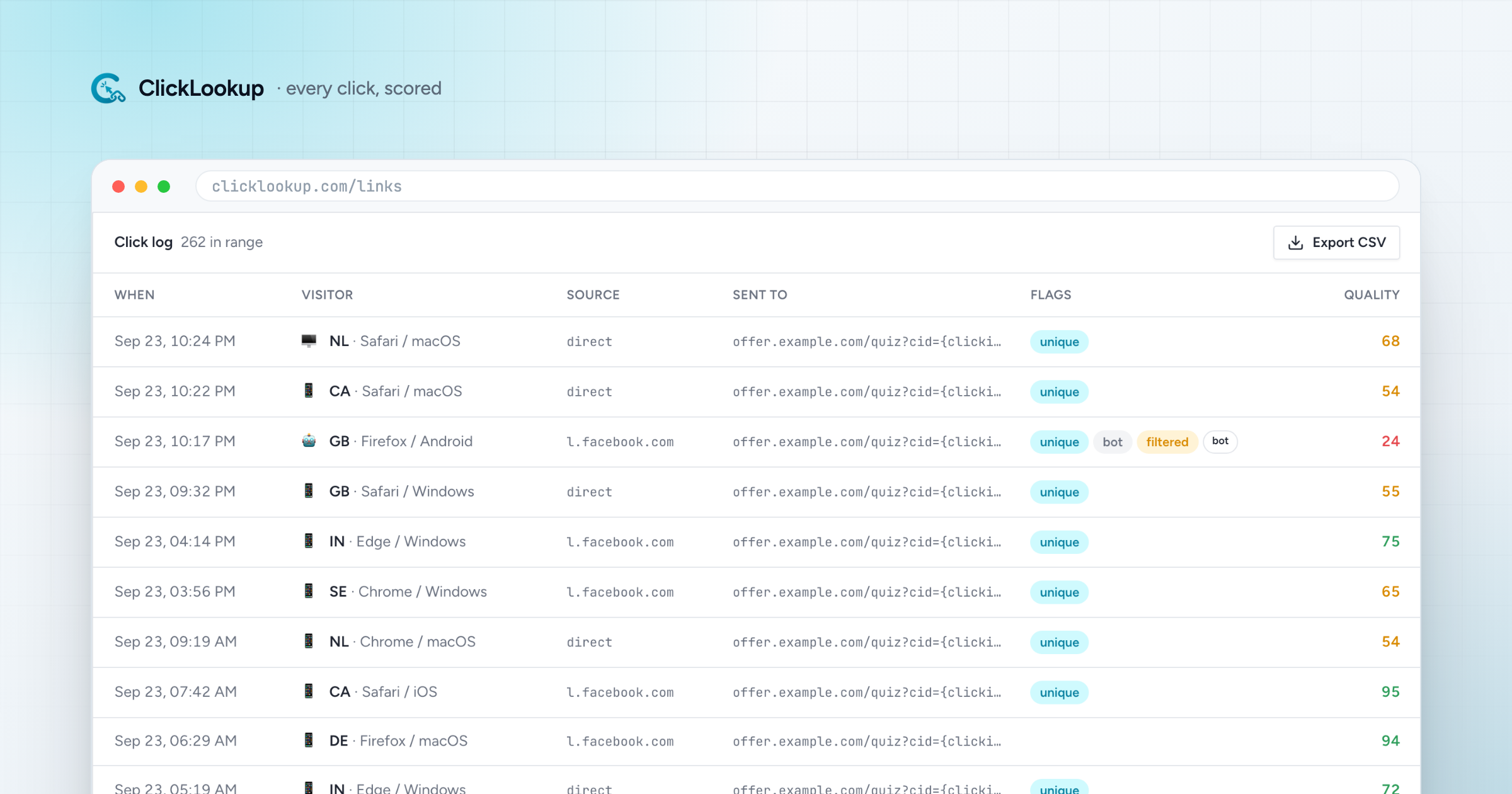
ClickLookup puts that score on every click, at the moment of the redirect, and keeps it on the record with the rest of the click. Nothing is thrown away: a low score is still a click you can look at, argue with, and take to whoever sold you the traffic.
What to do with a bad score
- Send it somewhere else. A visit that scores badly can go to a different page rather than costing you a lead form submission or an affiliate payout.
- Stop paying for it. Most traffic sellers have a refund process. What they want is evidence, and a per-click log with a score and a timestamp is evidence.
- Cut the source. If one placement is ninety per cent machines, that is not a bidding problem, it is a supplier problem.
The number worth watching
One figure tells you most of what you need: the share of clicks in the last thirty days that scored badly, by traffic source. If a source sits above a quarter, the money you are spending there is buying you very little, and you can prove it with the log rather than argue about it from a summary.
Frequently asked
Is bot traffic the same as click fraud? Not quite. Click fraud is bot traffic somebody is being paid for. The detection is the same; what changes is who owes you money afterwards.
Can I just block the bots? You can block the ones you recognise. Scoring is what covers the ones you do not, and it degrades gracefully: a wrong score costs you one click, a wrong block costs you a customer.
How much traffic is bots? It depends entirely on where you buy it. Search and social sit low; cheap display and some affiliate networks are a different world. The only honest answer for your account is the one in your own log.